


ドキュメント
ScaleCtlComponent
1 min read
ScaleCtlComponentはScaleオブジェクトを制御するコンポーネントです。
scale_ctl_component.hpp
class ScaleCtlComponent : public Component
{
public:
  using CTL = spa::gui::ScaleCtl<>;

private:
  class DragEvent;
  class ScaleChangeEvent;

public:
  ScaleCtlComponent
  (
    MOD mod,
    unsigned int scale_ctl_width,
    unsigned int scale_ctl_height,
    unsigned int scale_ctl_x,
    unsigned int scale_ctl_y,
    unsigned int scale_ctl_scale,
    unsigned char scale_ctl_color_R,
    unsigned char scale_ctl_color_G,
    unsigned char scale_ctl_color_B,
    unsigned char scale_ctl_color_A,
    std::function<void(CTL*)> scale_update_fc = [](CTL*) {}
  );

  ~ScaleCtlComponent() = default;

  CTL* get();

  std::function<void(unsigned int)> scale_change_event();

  void configure();

private:
  std::shared_ptr<CTL> ctl;
  std::function<void(CTL*)> update_scale_fc;
};
ScaleCtlComponentはスケールの変更やドラッグ操作で表示位置を変更します。
左上操作画面、左下スケール変更、右スケールコンポーネント
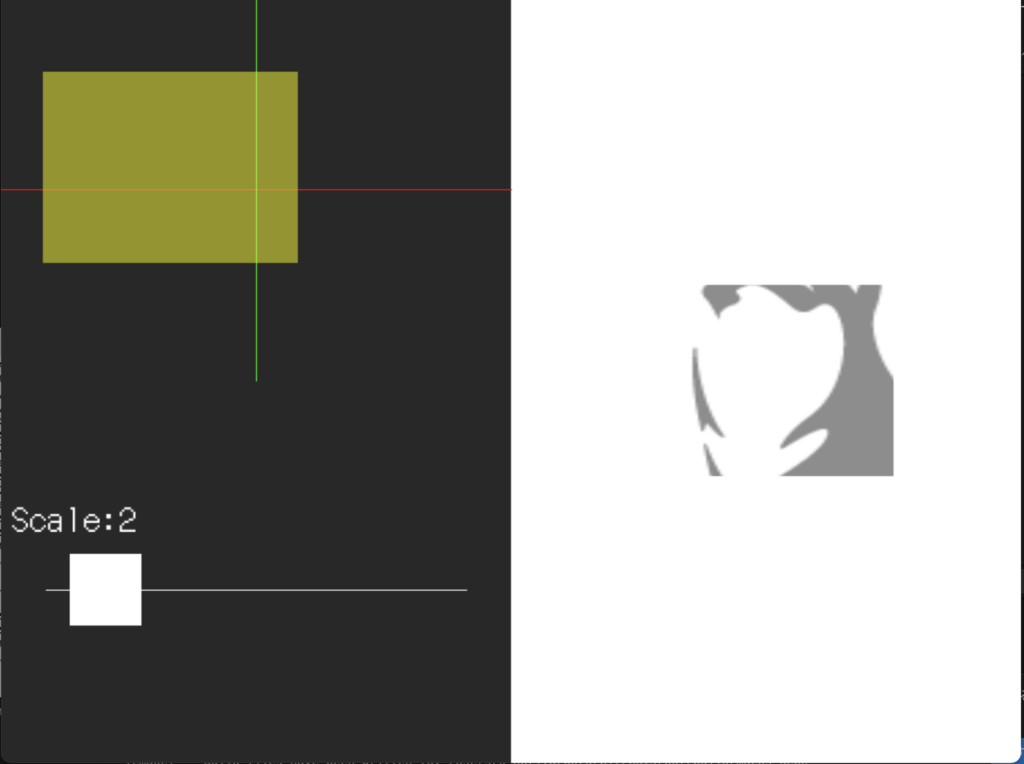
引数は画面左上参考にScaleCtlComponentの幅、高さ、ScaleCtlオブジェクトのxy座標、スケール、コントローラーの色を指定します。scale_update_fcにScaleComponent::updateメソッドから取得できる関数を指定します。
画面左上のScaleCtlComponentをドラッグしてScaleコンポーネントの描画位置を変更します。処理のフローはScaleCtlComponent::DragEvent→ScaleComponent::Updateとなります。
scale_change_eventメソッドで画面左下のSliderComponentにスケール更新の関数を渡してます。処理のフローはSliderComponent::SlideEvent→ScaleCtlComponent::ScaleChangeEvent→ScaleComponent::Updateとなります。


コメントを残す